


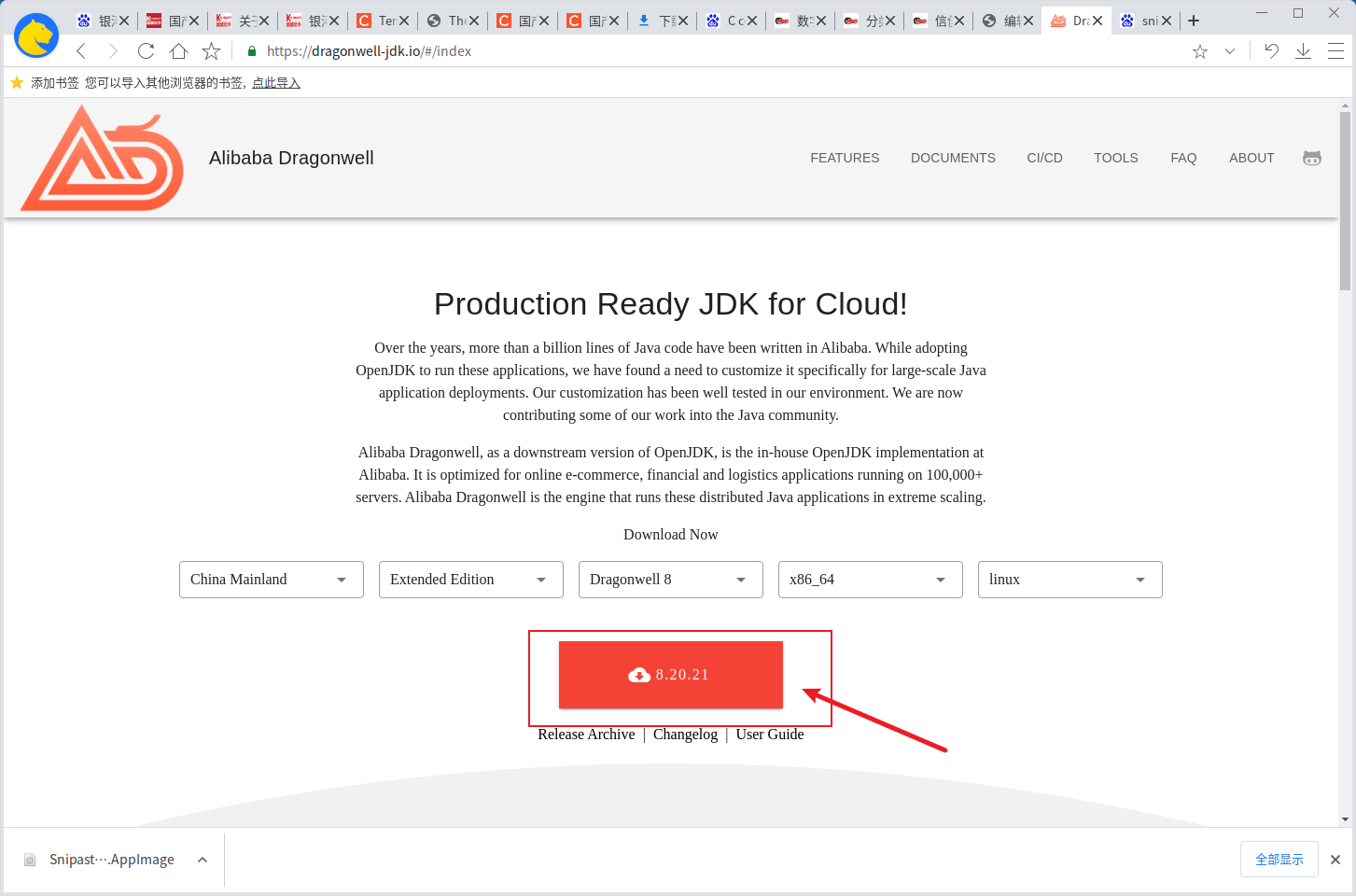
官方介绍,可以看看其适不适合自己的需求
Over the years, more than a billion lines of Java code have been written in Alibaba. While adopting OpenJDK to run these applications, we have found a need to customize it specifically for large-scale Java application deployments. Our customization has been well tested in our environment. We are now contributing some of our work into the Java community.

Alibaba Dragonwell, as a downstream version of OpenJDK, is the in-house OpenJDK implementation at Alibaba. It is optimized for online e-commerce, financial and logistics applications running on 100,000+ servers. Alibaba Dragonwell is the engine that runs these distributed Java applications in extreme scaling.
第一步:打开 官网 ,下载合适自己的版本。
第二步:解压缩包
使用如下命令
tar -xzvf Alibaba_Dragonwell_Extended_8.20.21_x64_linux.tar.gz第三步:改名并配置环境变量
sudo mv dragonwell-8.20.21 /opt/jdk8编辑配置文件,可以是全局(/etc/profile)或者是用户的('~/.bashrc'开头的文件)环境变量文件。
注意:要是非管理员编辑全局环境变量文件,需要在命令前添加sudo空格后执行
执行命令如下
vi .bashrc添加内容如下:
export NGINX_HOME=/app/tengine
PATH=$PATH:$NGINX_HOME/sbin/nginx
保存文件后执行一下命令
source .bashrc
123
对生命本质的追问充满哲学思辨。
社会责任感贯穿全文,彰显学者担当。
这是一篇佳作,无论是从内容、语言还是结构上,都堪称完美。
内容的丰富性和深度让人仿佛置身于知识的海洋,受益匪浅。